Employee management
A full profile per employee with documents, user account and line manager.
A smart, integrated system for HR, time & attendance, requests, approvals and payroll.
NajizGo HRMS brings employee records, line managers, BioTime-based attendance, employee self-service, approval workflows and payroll together in one platform — on the web and on Android.
NajizGo HRMS is a human-resources system where employees, line managers, HR and finance work from one place, each with role-based permissions.
It replaces scattered paperwork, spreadsheets and messages: every request follows a clear approval path, and every decision is recorded with who made it, when and why.
Attendance comes from the BioTime 9.5 terminal through an agent running on the HR computer. Worked hours, lateness and early leave are calculated from real punches, and unclear cases are flagged for review instead of being guessed.
Line managers follow their team, its attendance and requests and approve or reject from the web or the phone, while employees see their own attendance, balances and payslips and submit their own requests.
Functions that work today on web and mobile, with permissions enforced by the server.
A full profile per employee with documents, user account and line manager.
Organization structure with companies, branches, departments and positions.
Each employee is linked to a line manager who receives their requests.
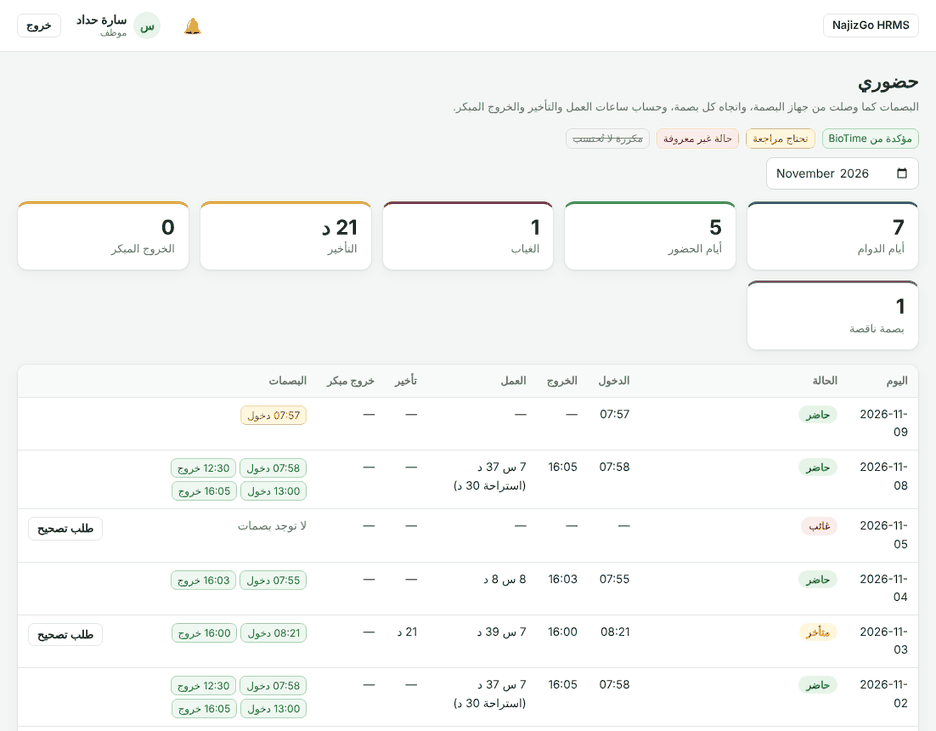
Daily and monthly records with check-in/out, worked hours and lateness.
Punches, employees and departments synced through a secure agent, without duplicates.
Leave requests of all types with balances and overlap checks.
Paid and unpaid permissions reconciled with actual punches.
Overtime approved only after matching actual attendance.
Request, approval, finance disbursement and installment schedule.
Correct a missing or wrong punch without touching the raw punches.
Multi-stage approval paths with delegation and a full decision log.
Payroll with review and approval stages, and payslips for employees.
Instant browser and phone notifications on every request change.
Attendance, request and payroll reports with Excel and PDF export.
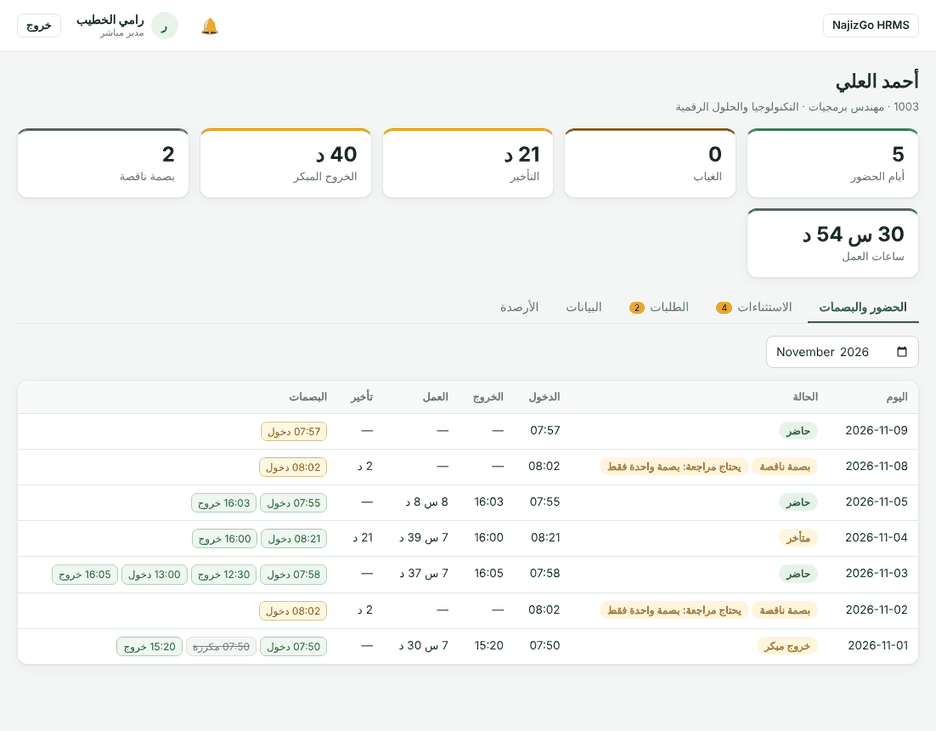
My team, today's team attendance and pending approvals.
My attendance, balances, requests and payslips in one place.
The same functions and permissions for employees and managers on the phone.
Everything an employee needs every day, in one screen.
Managers see only their direct team and decide from the web or phone.
The fingerprint terminal is the official attendance source. An agent on the HR computer sends punches securely.
An Android app for employees and line managers with the same account and permissions as the web.
Simplified illustration of the app — replace with real screenshots from the Site & App admin page.
An HR system that brings employees, attendance, requests, approvals and payroll together on the web and on Android.
With the email and password created by HR, from the "Sign in" button or from the app.
From "My Team" managers see their direct reports and today's attendance, and open each profile for monthly attendance, punches and requests.
Only by punching on the BioTime terminal. Mistakes are fixed through an attendance-correction request that goes through approvals.
Yes, through the BioTime agent running on the HR computer, which uploads punches periodically.
On the Download page tap the download button or scan the QR code, then allow installs from this source when asked.
Yes, with the same account. Functions and permissions are identical because decisions are made on the server.
"My Requests" shows each request's status and current stage, and you are notified of approval or rejection with the reason.
Use the details in "Support & contact" or contact your organization's HR team.

The download will be available as soon as the first signed release is published.